The one principle that matters
Folders answer "where is it stored." Metadata answers "what is it." Every failed photo organization scheme I've audited — and after eight years of consulting, that's many — collapsed because it forced folders to do metadata's job: /2019/weddings/smith/best/final/FINAL2/. Keep the two layers separate and each stays simple: a boring chronological folder tree nobody ever reorganizes, and rich keywords/metadata that live inside the files, where every future tool can read them.
Step 1: One folder scheme, forever (2 hours)
Chronology plus event: 2026/2026-07-04_client-shoot/. Dated prefixes sort themselves, event slugs make folders scannable, and the scheme requires zero decisions at 11pm after a shoot. Resist every temptation to encode subject, rating or status in folder names — that's metadata's job. Migrating an existing mess? Don't reorganize old folders (high risk, low reward): freeze the legacy tree as _archive-pre-2026/, apply the new scheme going forward, and let search bridge the two.
Step 2: Filenames that survive (1 hour to set up)
Pattern: YYYYMMDD_event-slug_sequence — e.g. 20260704_product-line-b_0417.dng. Unique, sortable, meaningful without being a novel. Batch renamers in Photo Mechanic, Lightroom, ACDSee or digiKam apply this on import automatically — one of several batch operations that keep a large library maintainable. Never rely on camera filenames: every camera resets its counter, and IMG_4417.jpg will eventually collide with its twin.
Step 3: A keyword tree, not a keyword pile (half a day)
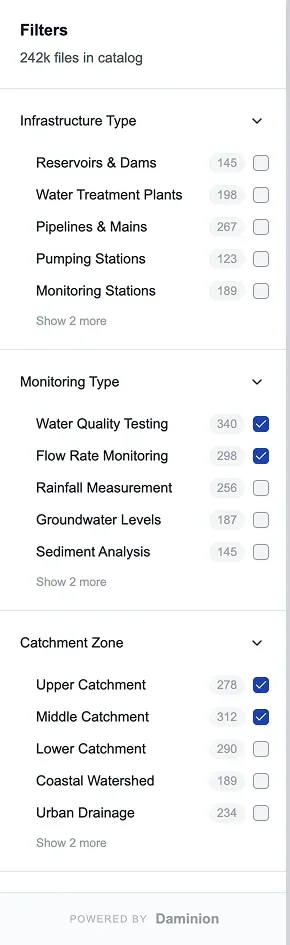
Flat tagging rots: "NYC", "New York", "Manhattan" become three unrelated tags within a month. Build a shallow hierarchy (Places → USA → New York; People → Team; Subjects → Products → Line B) with 100–300 terms total — more than that and nobody uses it. Tools with controlled vocabulary and synonym support enforce the tree for you; Daminion adds an approval workflow so new keywords get gatekeeping, which is the feature that keeps team libraries clean past year one. Solo users get most of this in digiKam or Lightroom's keyword hierarchies. Which tools group faces reliably — and which quietly mislabel them — is what we measured in our face recognition ranking.
Step 4: Write metadata into the files (ongoing, near-zero cost)
The technical step everyone skips and later regrets: configure your tool to embed keywords, captions and rights in IPTC/XMP — inside the file or in XMP sidecars for RAW. In Lightroom: Catalog Settings → "Automatically write changes into XMP." In digiKam: enable sidecar writing. Daminion and ACDSee write on save. This is what makes your work portable across decades and tools — the standards are open (IPTC, XMP) and every serious application reads them. Add your name and license terms to the rights fields while you're at it; the U.S. Copyright Office will thank you if it ever matters.
Step 5: Automate the backlog with AI (a weekend, not a season)
Manual keywording runs 200–400 images per focused hour — sorting through a 100,000-file backlog by hand is a quarter of full-time work. AI tagging changes the economics: modern engines produce usable draft keywords and face groups that a human reviews instead of creates. Worked example: a 100k backlog through Daminion's add-on at its published $3/1,000-image rate costs about $300 plus roughly two days of review; Excire Foto does similar work offline for a one-time license; Lightroom and ACDSee include AI search that softens the need to tag everything at all. Review queues matter more than raw accuracy — machine tags that auto-publish will pollute the vocabulary you just built — our AI tagging workflow covers how to run a big backlog through one safely.
Step 6: Cull, dedupe, back up (rhythm, not project)
Delete aggressively on import (blinks, misfires, the 14 near-identical frames) — every skipped cull compounds. Run duplicate detection quarterly; similarity search in Daminion, Excire or digiKam catches the exports-of-exports that multiply in shared libraries. And none of this matters without 3-2-1 backup: three copies, two media, one offsite — a NAS plus one cloud or offsite drive covers it. Versioned backup, not sync: sync faithfully replicates the deletion you'll regret.
When folders + one app stop being enough
The system above runs fine in Lightroom, ACDSee or digiKam for one person. The graduation moment is shared access: a second user who needs to search, a client who needs a gallery, an intern who must not delete masters. That's DAM territory — permissions, versioning, concurrent access — and the natural next reads are our photo library software ranking and team photo management guide. If your archive already sits on a NAS, the files-in-place pattern means adopting a DAM without moving anything you just organized.
FAQ
What is the best way to organize a large photo library?
Two independent layers: a chronological folder scheme (2026/2026-07-04_event/) that never changes, and hierarchical keywords with rights data written into the files as IPTC/XMP. Folders answer where, metadata answers what. Every durable system we've audited follows this split; every collapsed one forced folders to carry meaning.
How do you sort through thousands of photos?
Not one picture at a time — that is the approach that stalls every backlog. Freeze the existing mess as a single _archive folder rather than reorganizing it, then sort forward into dated folders (2026/2026-07-04_event/) with a 100–300 term keyword tree, and write those keywords into the files as IPTC/XMP. For the thousands already sitting there, run AI tagging across the backlog and review its suggestions instead of typing every keyword yourself: a weekend of machine tagging plus roughly two days of review, against the 250–500 hours manual keywording would take at 200–400 images an hour. Cull hard as you go — the frames you delete are the ones you never have to sort again.
How long does it take to organize 100,000 photos?
With AI assistance: a weekend of machine tagging (about $300 at typical per-image rates, or a one-time Excire license) plus roughly two days of human review, after a half-day designing the keyword tree. Fully manual keywording at 200–400 images/hour would take 250–500 hours — which is why the backlog never gets done without automation.
Should I organize photos by date or by subject?
By date in folders, by subject in keywords. Date-based folders are unambiguous and future-proof; subject lives in metadata where one photo can be "Products + Line B + Studio + 2026" simultaneously — something no single folder path can express.
What if I already have a chaotic folder structure?
Don't reorganize it — freeze it. Move the old tree under one _archive folder, start the new scheme today, and let metadata search bridge both eras. Retroactive folder surgery risks breaking catalog links and backup histories for cosmetic gain; retroactive keywording via AI tagging delivers the actual findability.
What software is best for sorting and organizing a photo library?
Solo: Lightroom Classic (with editing), ACDSee (one-time purchase) or digiKam (free). Teams: a shared-catalog DAM — Daminion is our 2026 pick for exactly this workflow. Sorting a backlog with AI: Excire Foto offline or Daminion's tagging add-on. Our photo library software ranking compares all of them under one methodology.
Sources & references
- IPTC Photo Metadata Standard — photo-metadata standard, accessed July 2026.
- Adobe XMP — specification — the metadata spec behind sidecar files, accessed July 2026.
- digiKam — open-source photo manager, accessed July 2026.
- Daminion — DAM platform, accessed July 2026.
- PhotoLib methodology — how we research and test DAM tools. See our methodology.