| Price tier | $$$ premium · quote-based enterprise contracts |
| Deployment | Cloud only (multi-tenant SaaS) |
| Free trial | ✗ Demo only |
| Tested | Two-week sandbox tenant, June 2026 |
What Bynder does better than anyone — 9.5
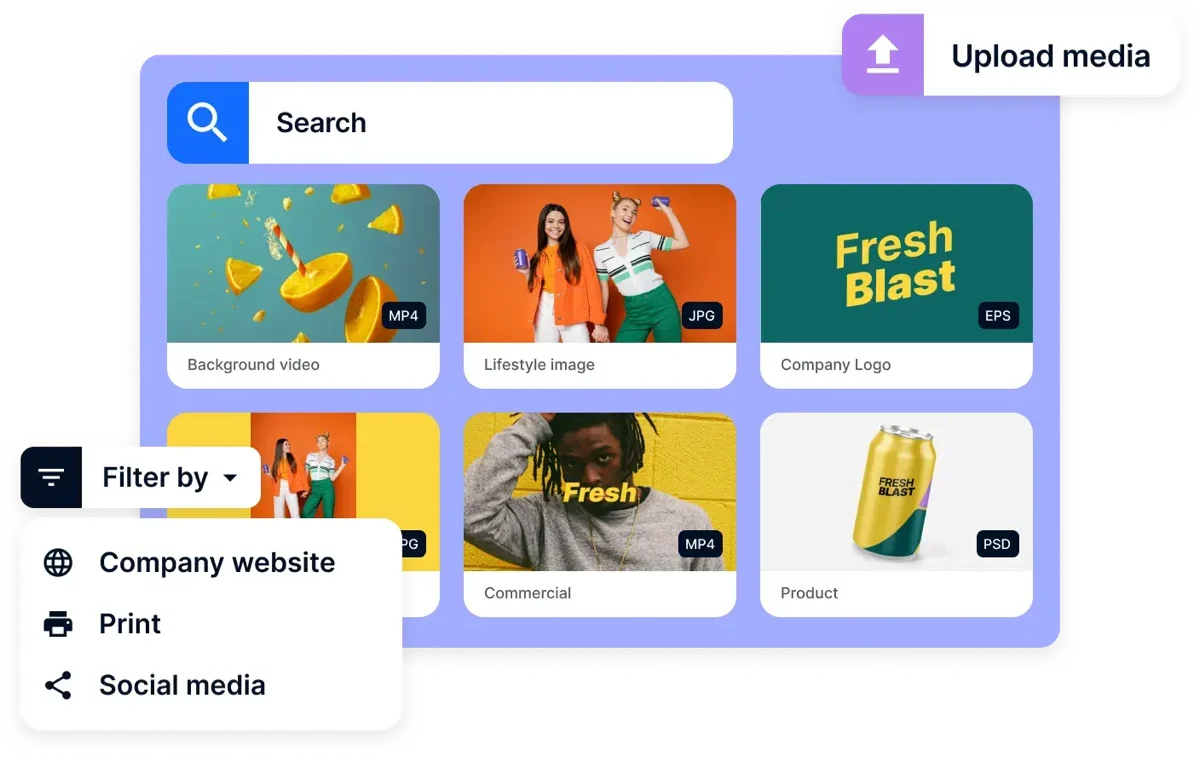
Bynder doesn't do free trials, so I evaluated it the way a real buyer does: a guided sandbox tenant plus reference calls with three live customers. What that reframed for me — you're not buying software, you're buying a governance process. I built a three-stage approval chain (legal → brand → regional) in an afternoon and it worked exactly as designed; what takes weeks isn't the clicking, it's agreeing internally on who approves what. Judge Bynder on that, not on search speed. Full protocol: how we test.
Workflow automation. Multi-step approval chains with conditional routing, deadlines and audit trails — the deepest we've tested. A campaign asset can traverse legal, brand and regional review without a single email, and the audit log will testify to it later.
Brand governance. Guidelines module, templated creation (Studio), and permissioned collections mean a 40-market organization ships consistent creative. This — not storage — is what Bynder sells.
Integrations. 130+ connectors across the marketing stack, plus SSO, SCIM provisioning and enterprise security certifications that sail through vendor risk reviews.
The gaps. Search on our 25k test tenant averaged 1.1s — fine, not fast. Photography workflows are an afterthought: partial XMP export (71% field survival in our round-trip test), no RAW awareness worth the name. Bynder manages brand assets; a working photo archive deserves different tools.
Photographers, read this twice: in our export/re-import test Bynder preserved just 71% of IPTC/XMP fields, and it has no meaningful RAW awareness. It's built for finished brand assets, not working photo archives. If your library is RAW-first, the premium buys you governance you'll use and metadata handling you'll fight — see our photo-first DAM ranking or Daminion (100% round-trip in the same test).
Implementation reality
Plan 6–12 weeks with Bynder's onboarding team — taxonomy workshops, permission design, integration wiring. That's not vendor inefficiency; it's the nature of governance software: the org chart is the real installation target. Budget internal time accordingly: our reference checks consistently reported one internal admin at 25–50% capacity during rollout, settling to a part-time role after.
Pricing — 7.4 on value
Quote-only, demo-only — you can't self-serve a trial, and as of July 2026 there's no public rate card. Verified G2 and Capterra reports consistently describe five-figure annual contracts as the entry point, scaling with modules (Studio, Analytics) and seats.
| Question | Answer |
|---|---|
| Published prices | None — quote only |
| Buyer-reported median | $41,417 per year across 80 purchases tracked by Vendr |
| Buyer-reported range | $9,472 to $86,731 per year |
| Second dataset (SpendHound) | Averages of $29,749 per year for small businesses (16 customers) and $131,277 for enterprises (38 customers), from 160 Bynder customers in total — updated July 2026 |
| What moves the quote | User count and tier, storage volume, add-on modules, contract length |
| Multi-year discount | Annual price 10–25% lower on two- and three-year terms than on one-year contracts, per Vendr |
| Free trial | None — evaluation is by guided demo |
| Checked | Vendr figures as of February 2026 (the date on its page); page reviewed September 2026 |
How to read the Bynder numbers
The Vendr figures are what buyers actually signed for, after negotiation — Vendr reports average savings of 18% against the first quote — so expect the opening number to be higher than the median. The range is wide because the product is modular: a small team on core DAM sits near the bottom of it, and the same platform with extra modules, more seats and more storage sits near the top. The floor of that range, just under $10,000 a year, is lower than the “five-figure entry point” reviewers usually describe, which tells you small deployments exist — but they are the exception, not the norm.
Two levers are worth knowing before the first call. Contract length: multi-year terms are where the largest discount sits. And scope: every module you add at signing is priced into the renewal base, so buy the modules you will switch on this year and leave the rest for later. Brandfolder, the alternative most often shortlisted against it, has a buyer-reported median of $24,999 — we set the two side by side in Bynder vs Brandfolder.
A second dataset points the same way, with a wider spread. SpendHound, another service that collects de-identified spend data, reports averages from 160 Bynder customers split by company size: $29,749 a year for small businesses and $131,277 for enterprises. The two sources are independent of each other, and the numbers are not directly comparable — they slice the customer base differently, and averages sit higher than medians when a few very large contracts pull them up — but neither contradicts the other. Both agree on the shape: a small team can land under $30,000, and an enterprise deployment costs several times that. Treat every figure here as directional: both companies sell services around SaaS spend, and neither publishes how it selects its contracts.
Price tiers: $ budget · $$ mid-range · $$$ premium, quote-based. Most DAM vendors quote final pricing individually, so tiers reflect verified customer reports on G2 and Capterra rather than rate cards. Checked July 2026.
Tester's tip: buy for the next 18 months, not the five-year dream. If you're under ~50 people, start on a mid- or budget-tier tool that writes standards-based IPTC/XMP metadata — your library then migrates cleanly into Bynder when governance needs actually justify the contract. It's locked-in metadata, not your tool choice, that makes the eventual upgrade painful. More in our DAM basics guide.
Worked example: a 200-person brand organization with 300k assets and three regional teams gets its money's worth from approval automation alone — one avoided compliance incident can cover the contract. A 20-person company buying the same platform pays enterprise prices for features it will never switch on; that mismatch is the most common regret in reviewer reports, and the reason our small-business ranking looks nothing like this page.
Pros & cons
What we liked
- Deepest approval and workflow automation tested
- Brand guidelines and templating that scale to global orgs
- 130+ integrations; enterprise-grade security and SSO
- Strong support and structured onboarding
What could be better
- Premium quote-only pricing; no self-serve trial
- 6–12 week implementation
- Weak RAW/photography handling; 71% IPTC round-trip
- Overwhelming for teams under ~50 people
Who is Bynder for?
✓ Choose Bynder if you…
- Run brand operations across markets with real approval chains
- Have 100+ users and a marketing stack to integrate
- Need audit trails that survive legal scrutiny
- Have an approved enterprise budget line
✗ Skip it if you…
- Are under ~50 people — see Canto or Daminion
- Manage working photo/RAW archives — see photo-first tools
- Need on-premise deployment — see this ranking
- Want to trial before talking to sales
Final verdict
Excellent (for enterprises) — 8.9/10
Bynder earns its #3 rank by being the best at the thing enterprises actually buy DAM for: governed, auditable, on-brand content operations at scale. The score would be higher if value weren't so scale-dependent — below a hundred users the economics stop making sense, and photography-led teams get little for the premium. Know which buyer you are before the demo call; our Daminion vs Bynder comparison is the fastest way to find out.
FAQ
Is Bynder a good DAM in 2026?
For enterprise brand operations, yes — it scored 8.9/10 in our June 2026 review with the deepest workflow automation and governance tooling we've tested. For small teams and photography-led archives, its premium pricing and shallow RAW/metadata handling make budget alternatives a better fit.
How much does Bynder cost?
Bynder sells quote-based enterprise contracts only; verified G2 and Capterra reports as of July 2026 describe five-figure annual entry points, rising with modules and seats. Vendr puts the buyer-reported median at $41,417 a year across 80 purchases. There's no free trial — evaluation happens through guided demos.
How long does Bynder implementation take?
Plan 6 to 12 weeks with Bynder's onboarding team, covering taxonomy design, permissions and integrations, plus an internal admin at 25–50% capacity during rollout. Compare that with 1–3 days for self-serve tools like Daminion, Canto or Filecamp — the difference is governance depth, not vendor speed.
What are the best Bynder alternatives?
Canto for easier mid-market cloud DAM; Brandfolder for analytics-led brand teams; Acquia DAM for metadata-heavy enterprise content; Daminion for on-premise control and photo-first archives at budget tier. Our best DAM software ranking compares all of them under one methodology.
What if we're too small for Bynder but growing fast?
Buy for the next 18 months, not the five-year dream: start with a mid or budget-tier tool that writes standards-based metadata (IPTC/XMP), and your library migrates cleanly into Bynder when headcount and governance needs justify the contract. Locked-in metadata, not tool choice, is what makes future upgrades painful.
Sources & references
- Bynder — Digital Asset Management product — vendor site, accessed July 2026. Interface screenshot, workflow, Studio and integrations feature set.
- IPTC Photo Metadata Standard — International Press Telecommunications Council. Reference for the metadata round-trip test.
- Bynder reviews on G2 — accessed July 2026. Verified-customer reports on pricing entry points and implementation.
- Bynder reviews on Capterra — accessed July 2026. Second independent ratings source.
- PhotoLib in-house evaluation — two-week sandbox tenant + reference calls with three live Bynder customers, June 2026. Workflow, implementation and round-trip figures above. See how we test.
- Vendr — Bynder buyer-reported pricing — procurement marketplace, accessed September 2026. Median and range of contract values across 80 purchases; cost drivers; multi-year discount.
- SpendHound — Bynder pricing — spend-data marketplace, accessed September 2026, page updated July 14, 2026. Average contract value by company size, 160 customers; methodology not disclosed.